Online Tools for Special Needs
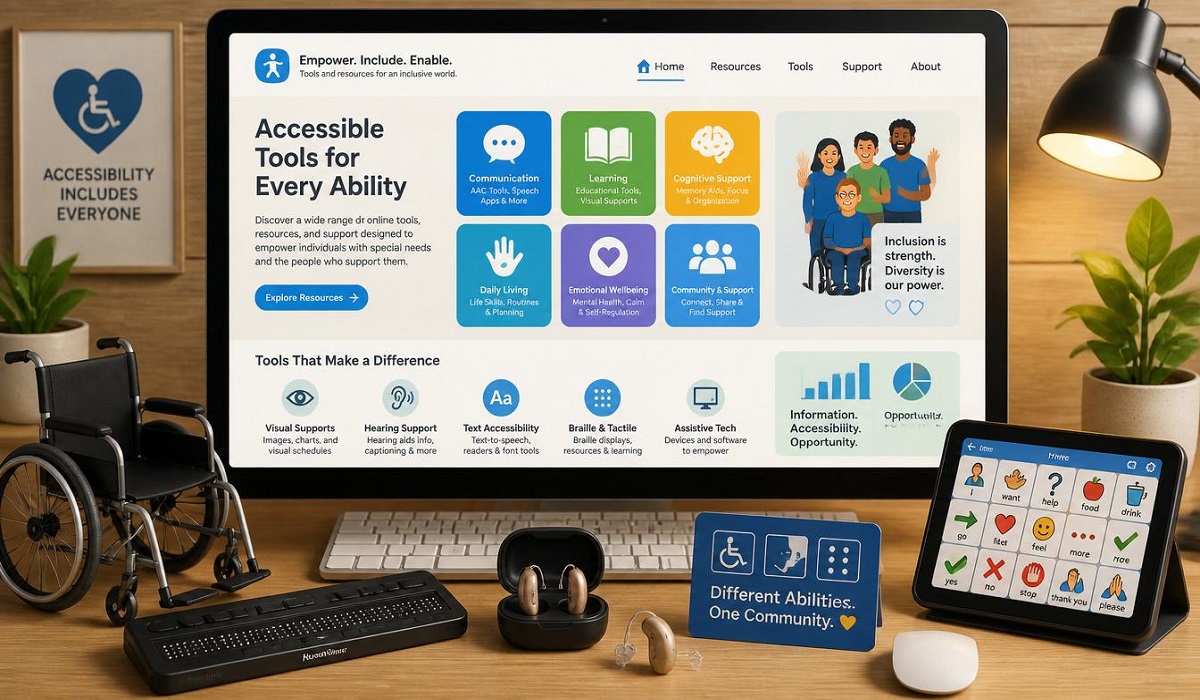
Online Tools for Special Needs: Imagine a classroom where every student, no matter their unique challenges, can learn, participate, and succeed. That’s the promise of today’s technology. In 2026, educational online tools for special needs students are advancing faster than ever, helping to create a more inclusive and effective learning environment.
The New Classroom: A World of Inclusion
Education is for everyone, but the truth is, traditional classrooms have often struggled to meet the needs of students with disabilities. The good news is that technology is stepping up to change the game. From AI-powered apps that give a voice to non-verbal students to virtual reality worlds where learning comes alive, we are in the middle of a special education revolution.
This article will explore the most exciting and effective educational online tools for special needs students available today. We’ll look at how they work, who they help, and why they are so important for creating a future where every learner can shine.
The Tech Toolkit: What’s New in 2026
The landscape of educational technology (EdTech) for special needs is changing incredibly fast . It’s no longer just about making existing content accessible; it’s about creating entirely new ways to learn. A major global study found that while AI in education is powerful, it’s a tool that requires careful implementation, teacher training, and ethical consideration to truly help students . Let’s break down the main types of tools making a difference.
1. AI-Powered Personal Learning Companions
Artificial Intelligence (AI) is one of the biggest game-changers. AI can create a learning experience that adapts in real-time to a student’s individual needs, which is a huge step forward for the field of special education .
How it works: AI observes how a student interacts with a lesson. If a student is struggling with a math concept, the AI can offer extra practice and break it down into smaller steps. If a student is flying through reading, the AI can offer more challenging material. This is the core strength of the best educational online tools for special needs students.
YouLearn.ai:
YouLearn is a great example of an AI-powered study platform . It takes a student’s own learning materials—like a textbook chapter, a lecture recording, or a video—and turns them into easy-to-use summaries, flashcards, and quizzes. This is incredibly useful for students with ADHD or learning disabilities who might struggle to focus on dense text. It also offers a “podcast-style” summary, helping auditory learners and students with visual impairments access the same material in a way that works for them .
Prism AAC:
For students who are non-verbal or have complex communication needs, Prism AAC is a groundbreaking tool . It’s an augmentative and alternative communication (AAC) app that uses AI to help users build sentences by tapping pictures. The app then speaks the sentence aloud. What makes it special is its support for multiple input methods. If a student can’t use their hands to tap a screen, they can use head-tracking, eye-gaze, or even switch scanning with a simple button . It also has a powerful on-device AI that adapts to the user’s vocabulary, making communication smoother and more personal.
Axis AI:
This mobile platform is being developed to help children with disabilities, especially in areas where access to traditional schooling is limited . Created by someone whose brother with cerebral palsy was excluded from the education system, Axis AI provides daily, curriculum-based lessons that are adapted to each child’s specific abilities. It converts content into audio, simplified text, or visual supports, making learning possible from home .
2. Tools for Communication and Accessibility
For many students, just being able to communicate or access the lesson material is the first and most important step. Many of the best educational online tools for special needs students focus on this foundational need.
- Microsoft’s Immersive Reader and Google’s Reading Mode: These free tools are built into many web browsers and applications. They can read text aloud, highlight words as they are spoken, break words into syllables, and even translate text into other languages. For students with dyslexia or visual impairments, these are essential classroom tools .
- Assistive Technology (AT) & Switch Access: Platforms like HelpKidzLearn are designed for children with very complex needs . They offer simple, highly engaging games and activities that can be controlled using a single switch, a touchscreen, or even eye-gaze technology. This helps students with physical disabilities develop cause-and-effect understanding and build foundational skills while feeling included in classroom activities .
- PRASHAST: In India, NCERT developed the PRASHAST app to help with disability screening and support. While it doesn’t have AI built-in, it shows a growing global commitment to identifying and supporting special needs students digitally .
3. Immersive Learning: VR and AR
Virtual Reality (VR) and Augmented Reality (AR) are creating safe, engaging spaces for learning skills that are hard to teach in a traditional classroom. Virtual Reality creates a completely digital world, while Augmented Reality overlays digital information onto the real world.
- NeuroBloom VR: This is a truly innovative platform that uses AI-powered Virtual Reality to help students with Autism Spectrum Disorder (ASD), Intellectual Disabilities (ID), and ADHD . Students can enter a virtual world to practice communication, recognize emotions, and learn essential life skills. The environment is safe, and the AI adapts the learning to the child’s performance .
- BESt-DaD (Blended Education for Students with Disabilities in Distance Learning): This platform was originally developed in Italy to help special needs students during the COVID-19 pandemic . It provides user-friendly online activities and digital materials designed to work with students’ neurocognitive profiles. The project also includes training for teachers, showing that tools are only effective when educators are supported in using them .
4. Platforms for Collaboration and Planning
It takes a village to support a student with special needs. Online platforms are making it easier for everyone—teachers, parents, therapists, and even the students themselves—to work together.
- PEI-ICF PETRA: This web platform is used in Italy to help create Individualized Education Plans (IEPs) . It moves away from a diagnosis-focused model to a “bio-psycho-social” model, looking at the student’s strengths and challenges in the context of their life. The platform guides teachers and families through a collaborative observation process and helps them plan a personalized education path. It’s a smart, organized way to design and track a student’s educational journey .
The Teacher’s Role: The Human Touch in a Digital World
While all these technologies are amazing, they are just tools. The real magic happens when a skilled teacher uses them. An international project called “BESt-DaD” found that the effectiveness of an online learning platform for special needs students increased dramatically when teachers received proper training on how to use it .
The “grow your own” teacher programs are gaining popularity, where paraeducators are trained and supported to become full-time special education teachers . This is crucial for getting more qualified educators into the classroom, especially in rural areas. The future of special education isn’t about replacing teachers; it’s about giving them superpowers. As one expert put it, “Technology does not replace inclusion; it enables it” .
Challenges and the Path Forward
It’s not all smooth sailing. The integration of educational online tools for special needs students faces some real-world hurdles. These are important to acknowledge so we can overcome them.
- The Digital Divide: Not every student has access to a reliable internet connection or a modern device at home. This gap in access, known as the digital divide, is a major barrier to equity . If a student can’t get online, they can’t use the tools.
- Ethics and Privacy: As AI becomes more common in the classroom, we need to have serious conversations about data privacy and algorithmic bias . Who owns the data collected on a student’s performance? How do we ensure the AI doesn’t have built-in biases that could unfairly label or track a student? These are not just technical questions; they are human rights questions .
- Teacher Training: Many teachers feel they lack the training, confidence, or tools to use new technology effectively . A tool is useless if the teacher doesn’t know how to use it to support learning. More investment in professional development is a must.
Summary: A Brighter Future for Every Learner
The world of special education is changing, and it’s an exciting time to be a part of it. Educational online tools for special needs students are breaking down barriers and opening doors that were once closed.
- AI is personalizing learning at a scale we’ve never seen before, adapting to each student’s unique pace and style.
- Communication tools are giving a voice to non-verbal students and empowering them to participate in their education.
- Immersive technologies like VR are creating safe spaces to practice life skills and build confidence.
- Collaboration platforms are ensuring that teachers, families, and therapists are all working from the same page.
The challenge now is to ensure these tools are used wisely, ethically, and equitably. We must invest in training teachers, protecting student data, and closing the digital divide. When we do, we’ll be creating a world where education is truly for everyone—a world where every student has a chance to unlock their full potential.
Frequently Asked Questions (FAQs)
1. What is an AAC app, and who is it for?
AAC stands for Augmentative and Alternative Communication. These apps, like Prism AAC and Proloquo2Go, help people who have difficulty speaking or are non-verbal. They typically use a system of pictures and symbols that the user taps to build a sentence, which the app then speaks aloud . They are used by students with conditions like autism, cerebral palsy, or other speech impairments.
2. How can a student with physical disabilities use an online learning tool if they can’t use a mouse or keyboard?
There are many “accessibility features” built into modern technology. Many platforms support “switch scanning,” where a student uses one or two buttons (switches) to scan through options on the screen and make a selection . Others support head-tracking, eye-gaze, or gesture recognition, allowing the student to control the cursor with their movements .
3. Are these online tools only for students with severe disabilities?
No, not at all! Many tools are designed to support a wide range of learning differences. A student with dyslexia can use Immersive Reader to follow along with text, while a student with ADHD might use YouLearn.ai to get a structured summary of a chapter instead of reading it all in one go . The goal is to provide “multiple means of engagement, representation, action, and expression,” which benefits all learners.
4. Do online special education tools replace the need for a human teacher?
Absolutely not. In fact, experts emphasize that “Technology does not replace inclusion; it enables it” . These tools are there to support and empower teachers. They can help with administrative tasks like data collection and provide personalized practice for students, which frees up the teacher to focus on direct instruction, building relationships, and providing the human support that technology simply cannot provide .
5. What is the biggest challenge to using these tools in the classroom?
One of the biggest challenges is the “digital divide,” or unequal access to reliable internet and devices . Another significant hurdle is teacher training. A study on the PEI-ICF PETRA platform showed that it was well-received and effective, but its success still depends on the willingness and ability of teachers and families to use it . A 2026 UNESCO webinar highlighted that teachers often “lack training, tools, or confidence” when it comes to integrating AI and ICT into inclusive education .